> For the complete documentation index, see [llms.txt](https://docs-adopt.nexthink.com/llms.txt). Markdown versions of documentation pages are available by appending `.md` to page URLs; this page is available as [Markdown](https://docs-adopt.nexthink.com/in-application-guidance/defining-conditions-for-completing-a-step/a-step-is-complete-when/interaction-selection/spot-in-viewpoint.md).
# Spot in Viewpoint
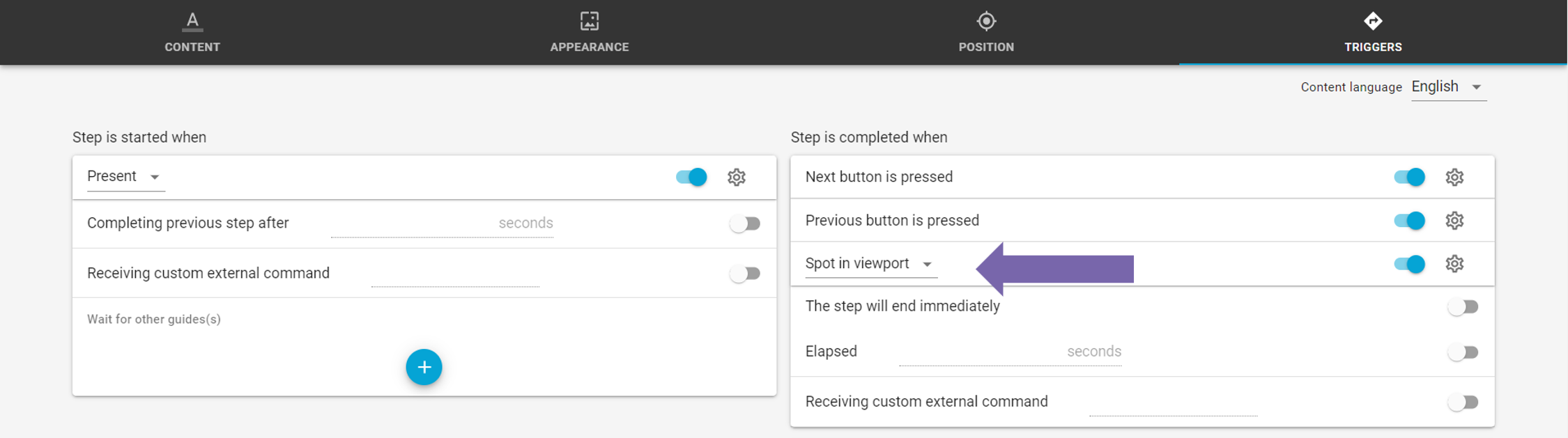
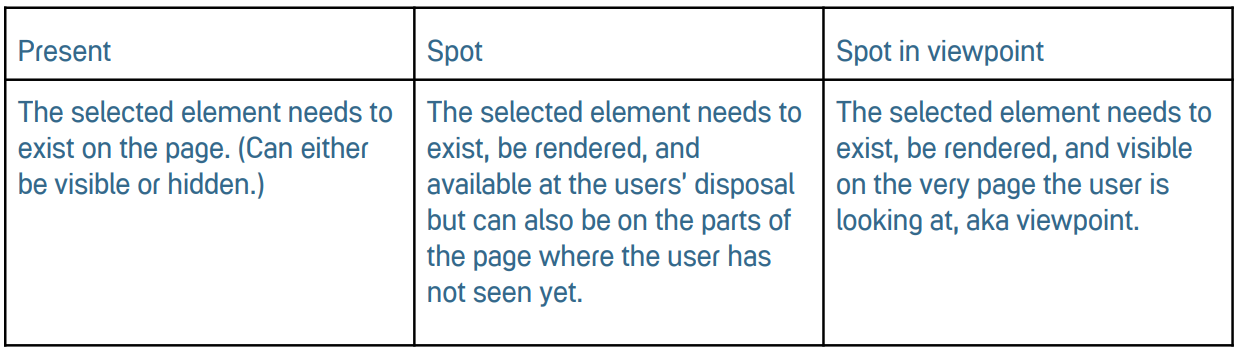
For this rule, the element must be brought to the user’s actual screen and may not be folded away in a drop-down menu or on the other parts of the screen where the user cannot see. So, for the step to be considered as complete, the selected element must be brought to the users’ viewpoint. Consider using this option for long pages where the user needs to scroll down or unfold some menu items to reveal the element.
***Note:***