> For the complete documentation index, see [llms.txt](https://docs-adopt.nexthink.com/llms.txt). Markdown versions of documentation pages are available by appending `.md` to page URLs; this page is available as [Markdown](https://docs-adopt.nexthink.com/in-application-guidance/creating-and-managing-tooltips/defining-hint-display-and-trigger-options.md).
# Defining Hint display and trigger options
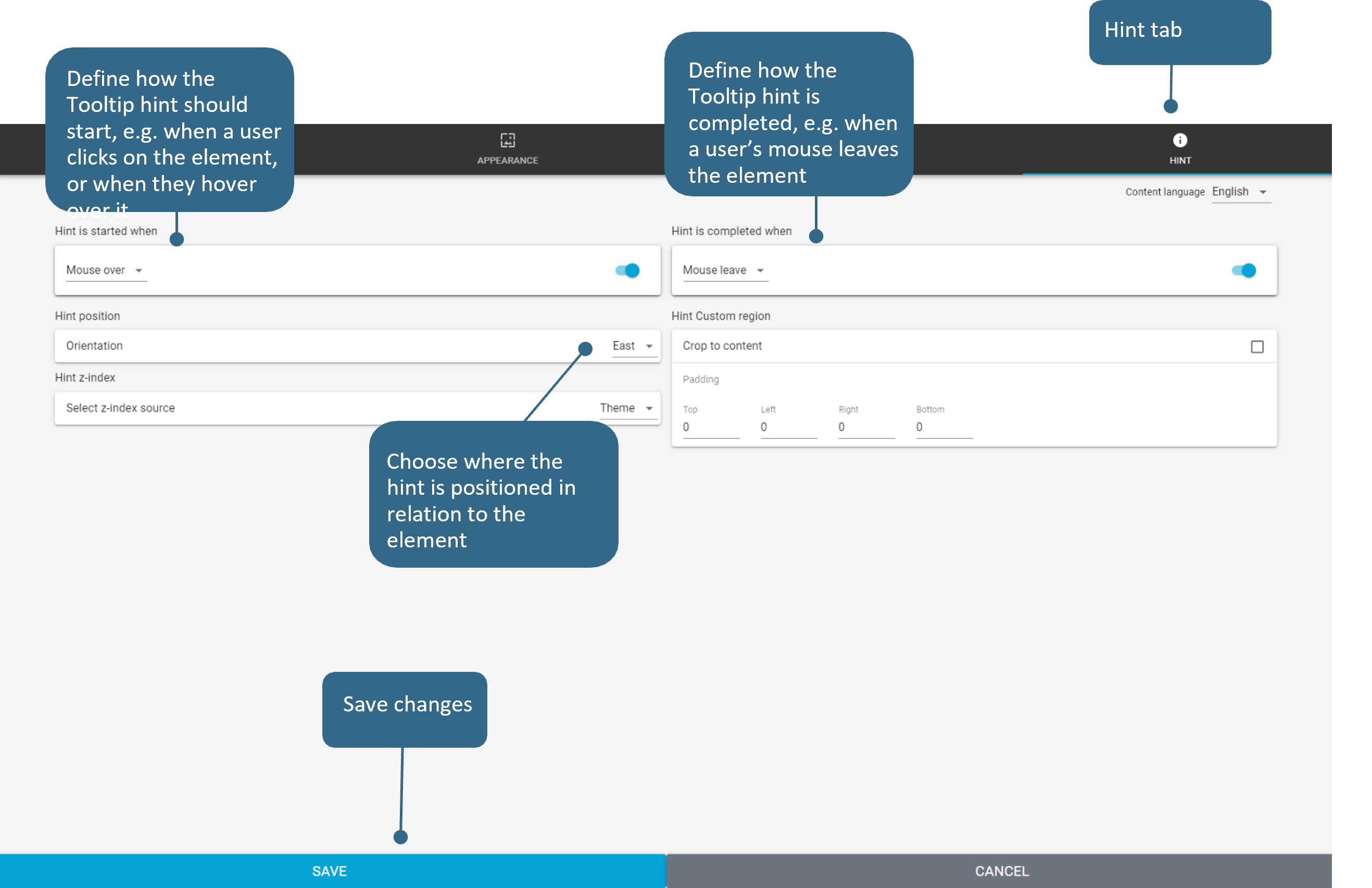
From the Editor, access the **Properties** of a Tooltip, then click the **Hint** tab. Below are some of the key features:
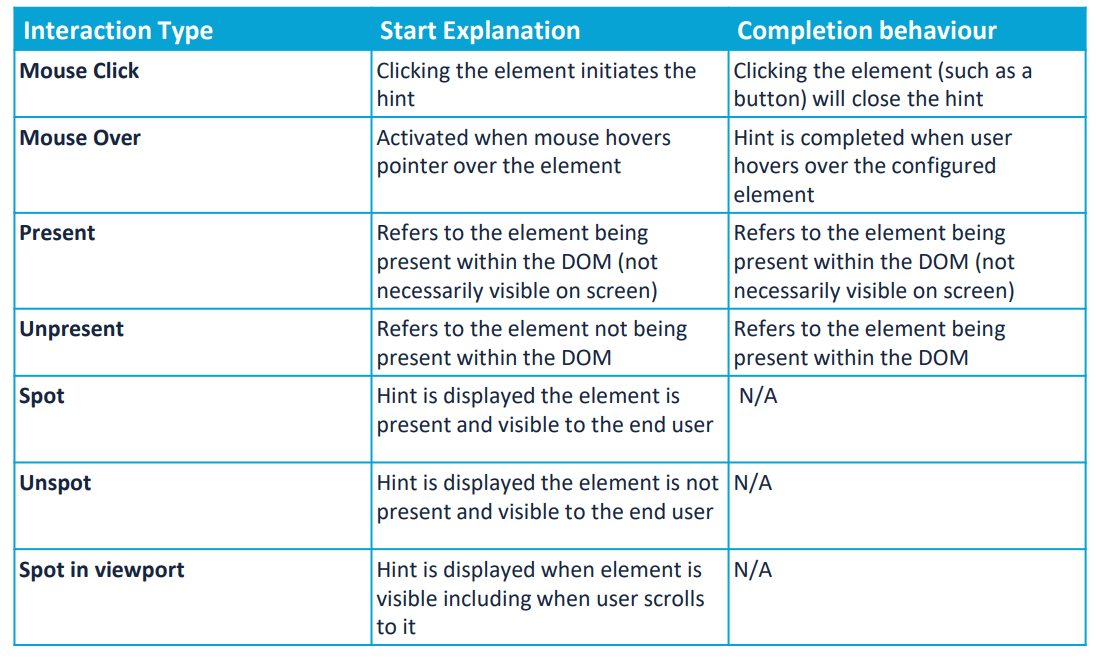
## Trigger: Start and Completion
Triggers can be used to control how Tooltip hints are displayed to end users, below is a table of the most common use cases.